Integrations
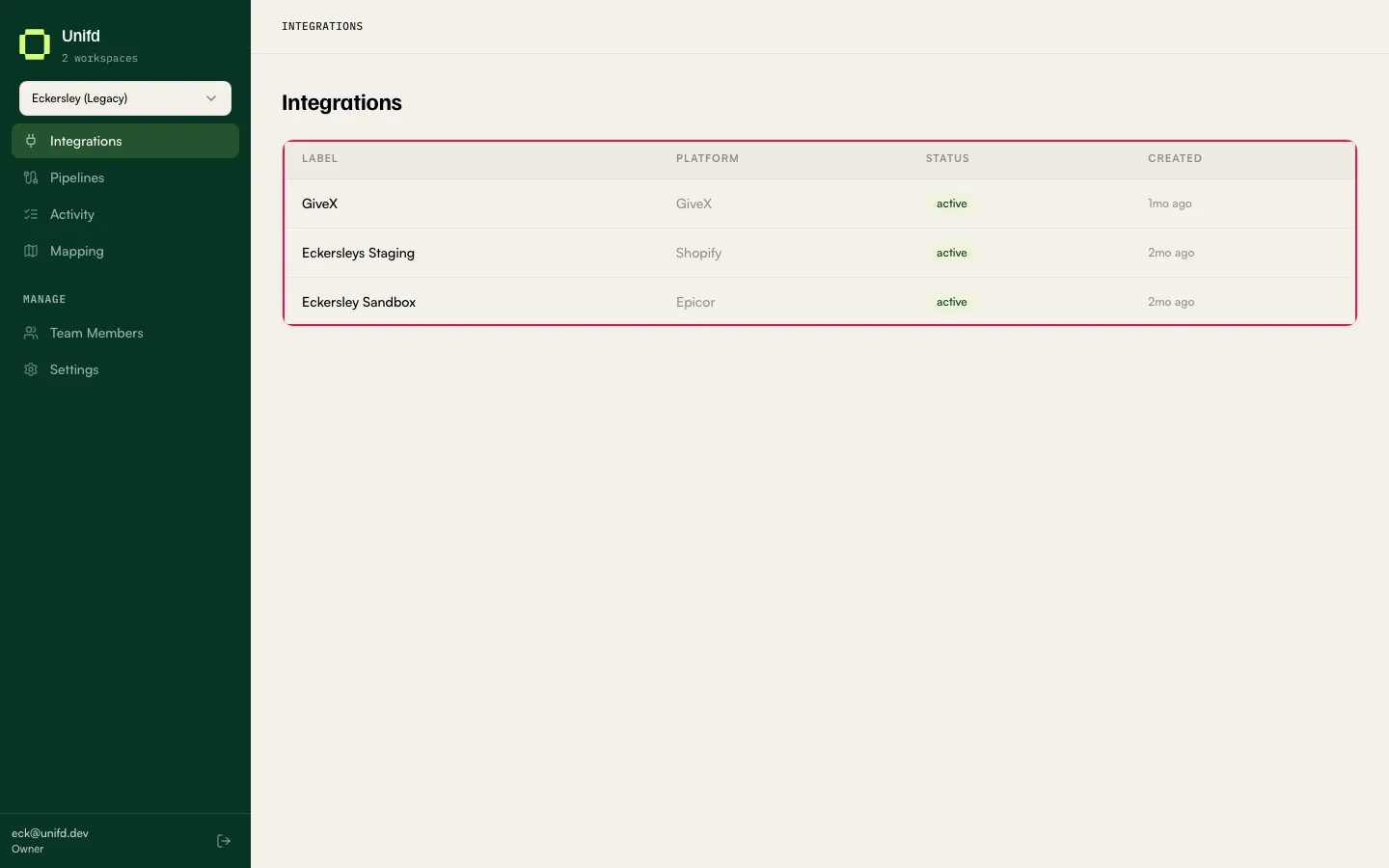
Integrations lists the systems Unifd is connected to for the workspace you have selected. Typically that means your source system — where your products, stock and customers are managed — and your storefront.
Reading the list
Section titled “Reading the list”| Column | What it tells you |
|---|---|
| Label | The name given to this integration. |
| Platform | The kind of system it is, such as AP21 or Shopify. |
| Status | Whether Unifd currently considers the integration usable. active is the healthy state. |
| Created | When the integration was added. |
Select any row to open its detail page.
An integration’s detail page
Section titled “An integration’s detail page”The detail page repeats the integration’s name, its status, which platform it is, and when it was created.
The header also shows when its reference data was last refreshed — for example
Synced 29d ago — with a Sync now button beside it.
Resources
Section titled “Resources”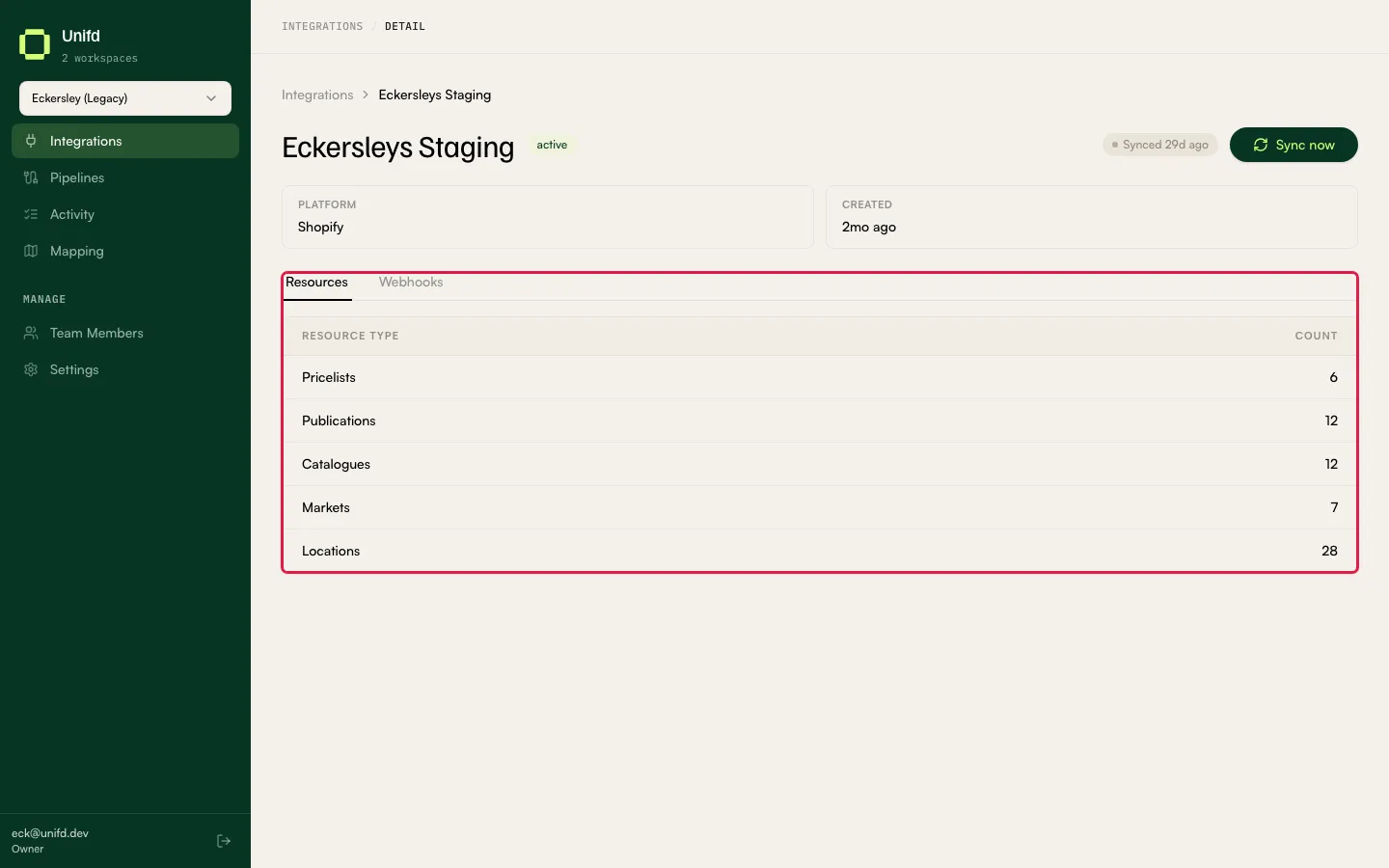
Resources are the reference lists Unifd reads from the platform and your pipelines then use. The tab shows a count against each kind:
| Resource type | Used for |
|---|---|
| Locations | Pairing your warehouses with storefront locations so stock lands in the right place. |
| Pricelists | Pricing for trade accounts. |
| Publications | Which sales channels a product is published to. |
| Catalogues | What a trade account can see and buy. |
| Markets | Routing orders by market. |
Sync now re-reads these lists from the platform. You will be sent here when something downstream needs reference data it does not have yet — for example the location mappings screen says: “No integration resources synced yet. Sync the source and destination integrations first (visit each integration’s page to trigger a refresh).”
Reach for Sync now after you add a location, price list or market on the platform itself, so Unifd can see it.
Webhooks
Section titled “Webhooks”A Shopify integration has an extra Webhooks tab, which subscribes Unifd to the events your storefront publishes — order updated, order cancelled, product created, product updated and return closed. Each row shows whether it is on, with a Turn on button.
Read the warning on that tab before touching it: “Shopify is the source of truth — toggling registers or removes the subscription immediately.” There is no save step and no confirmation. Turning an order topic off stops those events reaching Unifd straight away, so leave this to your Unifd contact.
Adding or changing an integration
Section titled “Adding or changing an integration”You cannot add an integration yourself, and credentials are not editable from this list — there is no New or Add button. If an integration is missing, or its status is anything other than active and syncs are failing, contact your Unifd contact.
The empty state spells this out: “No integrations configured for this workspace. Contact your administrator to add one.”
Changing which systems are connected is a setup task, not a day-to-day one. Your day-to-day work happens in Pipelines and Activity.