Companies
A companies pipeline copies your trade (B2B) account customers from your source system to your storefront as companies, so those buyers can log in and order at their own prices. You may see it listed as B2B Customers in the Pipelines list — its own data tab is called Companies.
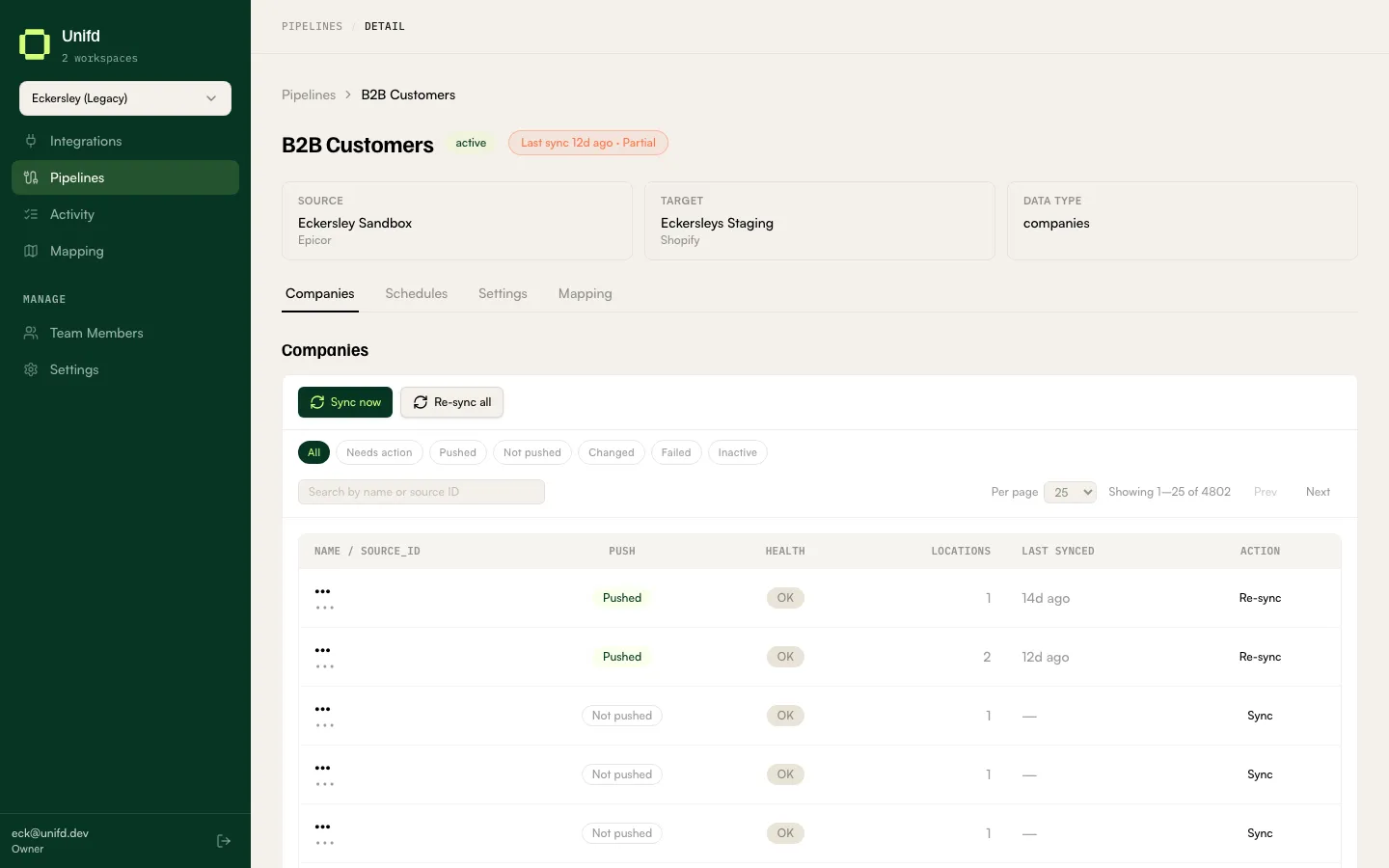
Reading the table
Section titled “Reading the table”| Column | What it tells you |
|---|---|
| Name / source_id | The account’s trading name, and its identifier in your source system. |
| Push | Pushed or Not pushed — whether the account exists on your storefront yet. |
| Health | OK, Changed, Failed (with a view error link), or Inactive · access revoked. |
| Locations | How many delivery or billing addresses the account has. |
| Last synced | When it last reached your storefront. |
| Action | The button for this row’s state. |
Push and Health work exactly as they do for products — see Checking your products for the full explanation of reading them together.
Accounts that have been closed
Section titled “Accounts that have been closed”Inactive · access revoked means the account is no longer active in your source system, so Unifd has removed its buyers’ access to your storefront. The account itself is left in place — its order history is not touched. Make the account active again in your source system and the next sync restores access.
The Inactive chip lists these accounts.
Fixing one account
Section titled “Fixing one account”The action button changes with the row’s state — Sync for an account that has never been sent, Re-sync for one that is already there, and Retry after a failure. Read the error before retrying: a rejection is usually caused by data on the account itself, and will keep failing until that is corrected in your source system.
Sync now and Re-sync all above the table act on the whole pipeline. Prefer Sync now for routine catch-up; Re-sync all rewrites every account.
Finding an account
Section titled “Finding an account”The chips are All, Needs action, Pushed, Not pushed, Changed, Failed and Inactive. Search matches the trading name or the source ID.
Needs action is the one to work from.
A trade account with no locations cannot be ordered against, even when its Push and Health look fine — the Locations column is worth a glance when a buyer reports they cannot check out.