Cash receipts
A cash-receipts pipeline records the payments taken on your storefront against the matching orders in your source system, so your accounts balance without anyone keying payments in twice.
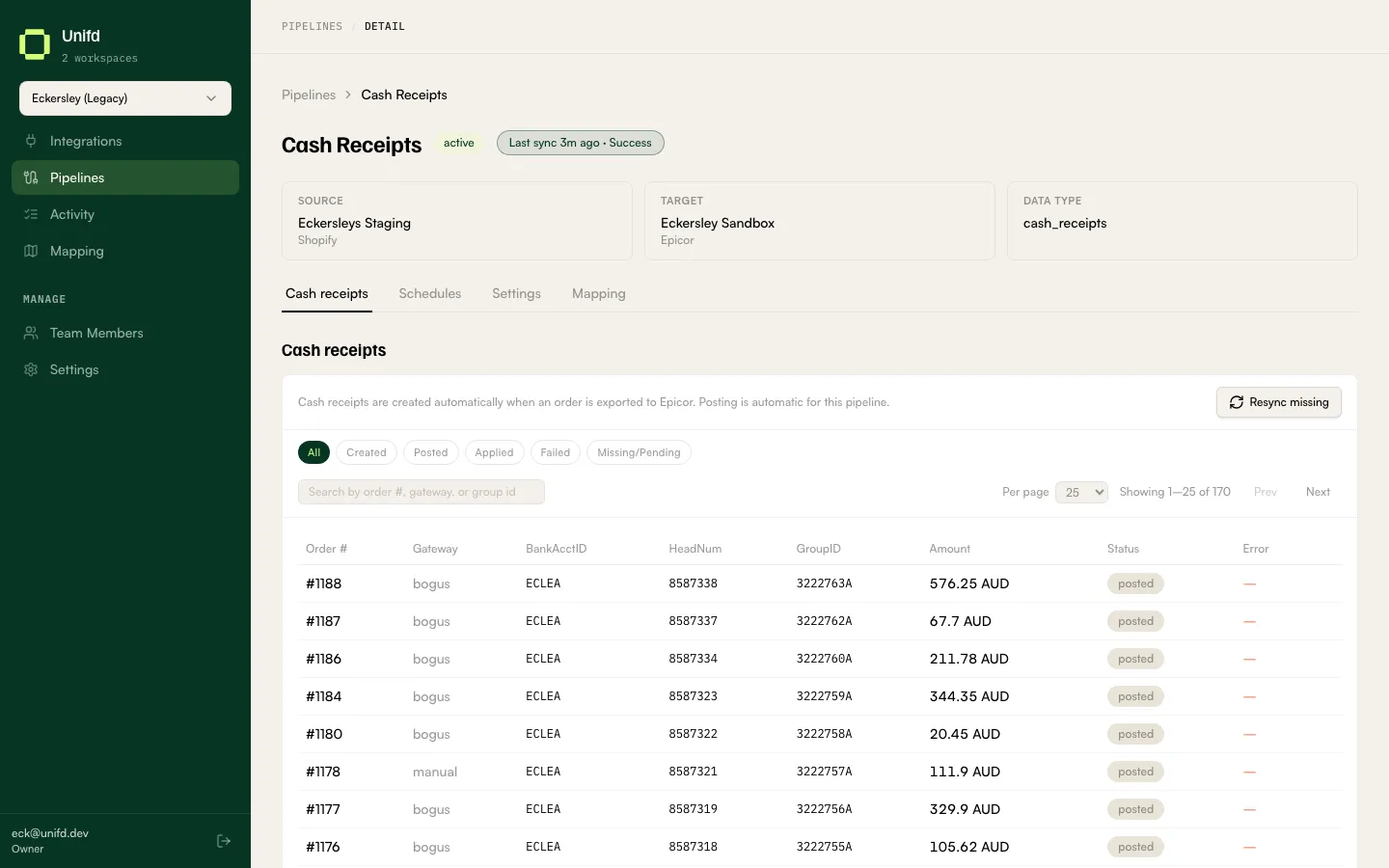
Reading the table
Section titled “Reading the table”| Column | What it tells you |
|---|---|
| Order # | The order the payment belongs to. |
| Gateway | How the customer paid. |
| BankAcctID | The bank account the receipt was posted to. |
| HeadNum / GroupID | The receipt’s references in your source system, once created. |
| Amount | The amount taken. |
| Status | How far the receipt has got — see below. |
| Error | Why it stopped, when something went wrong. |
The statuses
Section titled “The statuses”| Chip | What it means |
|---|---|
| Created | The receipt exists in your source system. |
| Posted | It has been posted. |
| Applied | It has been applied to the order. Complete. |
| Failed | Something went wrong — read the Error column. |
| Missing/Pending | Unifd expected a receipt and has not got one yet. |
Applied is the finished state. Missing/Pending is the one to keep an eye on: a payment your storefront took but your source system has no record of will leave an order looking unpaid to your accounts team.
Resync missing re-sends the receipts in that state.
Payment gateways have to be paired with your source system’s payment codes before receipts can be posted. If receipts fail with an unrecognised gateway, the pairing is what to fix — see Pipeline settings.