Orders
An orders pipeline runs in the opposite direction to most: orders are captured on your storefront and written back into your source system, so your team can pick, invoice and despatch them.
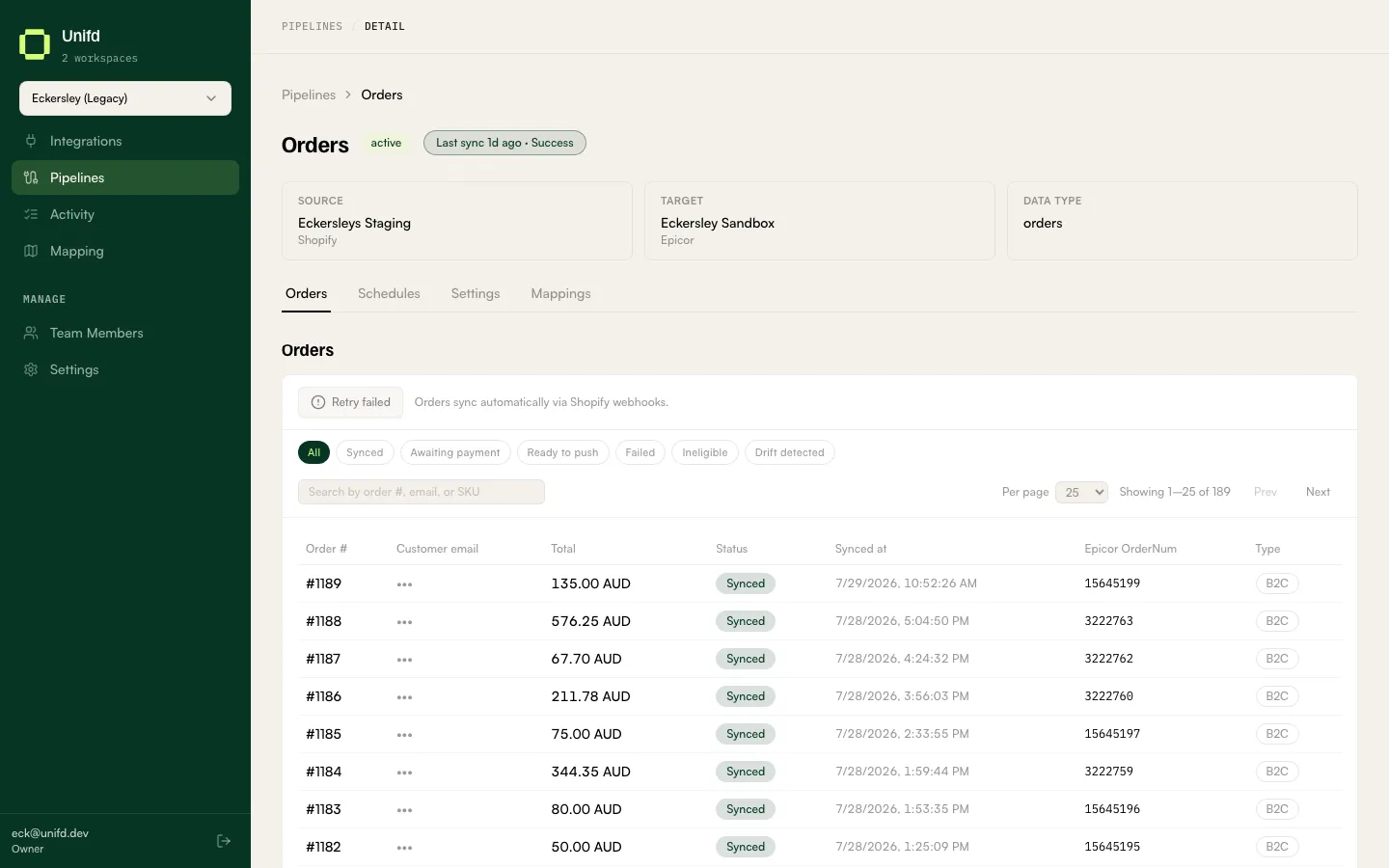
Customer details are hidden in this screenshot. The orders list includes a Customer email column, and this manual does not publish customer contact details.
Orders do not wait for a sync
Section titled “Orders do not wait for a sync”As the tab itself notes: “Orders sync automatically via Shopify webhooks.” They flow through as they are placed, rather than waiting for a scheduled run. An orders pipeline can therefore have no schedule at all and still be working perfectly.
Reading the table
Section titled “Reading the table”| Column | What it tells you |
|---|---|
| Order # | The order number on your storefront. |
| Customer email | Who placed it. |
| Total | The order value. |
| Status | Where the order is up to — see below. |
| Synced at | When it reached your source system. |
| Epicor OrderNum | The order’s number in your source system, once created. |
| Type | B2C for a retail order, B2B for a trade account order. |
An order with a source-system number against it has landed. The Type column matters when you sell both ways, because trade orders are priced and paid for differently.
Working through problems
Section titled “Working through problems”The chips are the fastest way to see where orders are stuck:
| Chip | What it means |
|---|---|
| Synced | Landed in your source system. Nothing to do. |
| Awaiting payment | Not yet paid, so not yet eligible to send. |
| Ready to push | Eligible and queued to send. |
| Failed | Rejected by your source system. Needs attention. |
| Ineligible | Deliberately not sent — it does not meet this pipeline’s rules. |
| Drift detected | The order changed after it was sent, so the two systems no longer agree. |
Retry failed sends the rejected orders again. Read the failure first: if your source system rejected an order because of missing reference data — an unmapped shipping method or payment gateway — retrying changes nothing until that pairing exists. See Pipeline settings.
The search box matches order number, email or SKU.
Awaiting payment and Ineligible are not faults. Only Failed and Drift detected need you.